How to Start an OnlyFans and Make Money (Step by Step Guide 2026)
Most people who start OnlyFans in 2026 make the same mistakes. Blurry verification photos, wrong account type, no traffic plan. The result? Delayed approval and zero earnings in the first month.
From what I've seen working with creators, the setup phase is where most people lose their first week. Getting it right from the start saves you a lot of time.
This guide shows you exactly how to create an OnlyFans account step by step and set everything up correctly from the start.
What You Need Before Starting OnlyFans
For Creators:
- ID (passport or ID card) for OnlyFans verification
- Bank account for OnlyFans payout and to withdraw money from OnlyFans
- Clear niche and OnlyFans content ideas
Not sure which niche to pick? Read the complete OnlyFans niche guide to find the best fit before you start.
For Agencies:
- Model (real or AI OnlyFans model)
- Content system and traffic source
- Bank account for payouts
How to Create an OnlyFans Account (Step by Step)
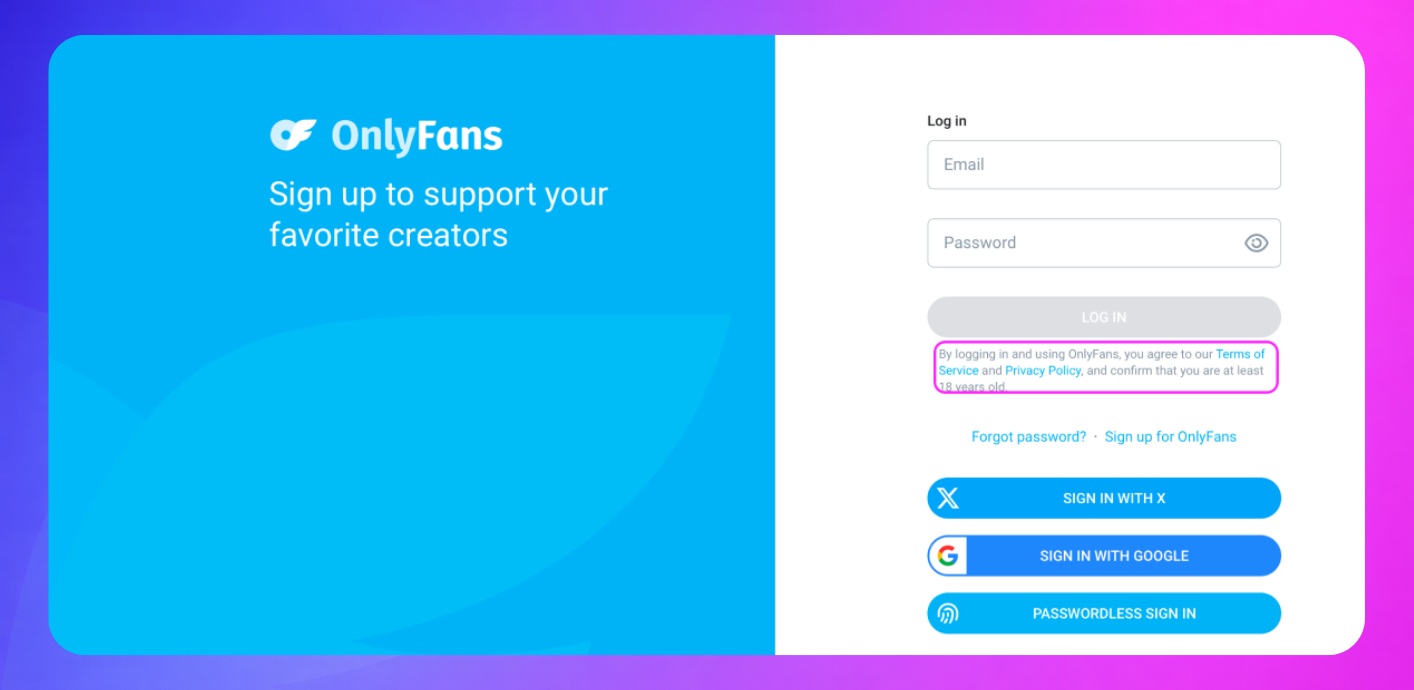
Step 1: Sign Up
Create your account using email or Google login. Use a long-term email you control. Recovery and verification depend on it.
Step 2: Confirm Your Email
Check your inbox and verify. If nothing arrives, check spam first.
Step 3: Set Up Your Profile
Your profile directly affects conversions. It is the first thing a potential subscriber sees before deciding to pay.
- Pick a simple, niche-based username
- Upload a clear profile picture
- Write a short bio that tells visitors exactly what they get
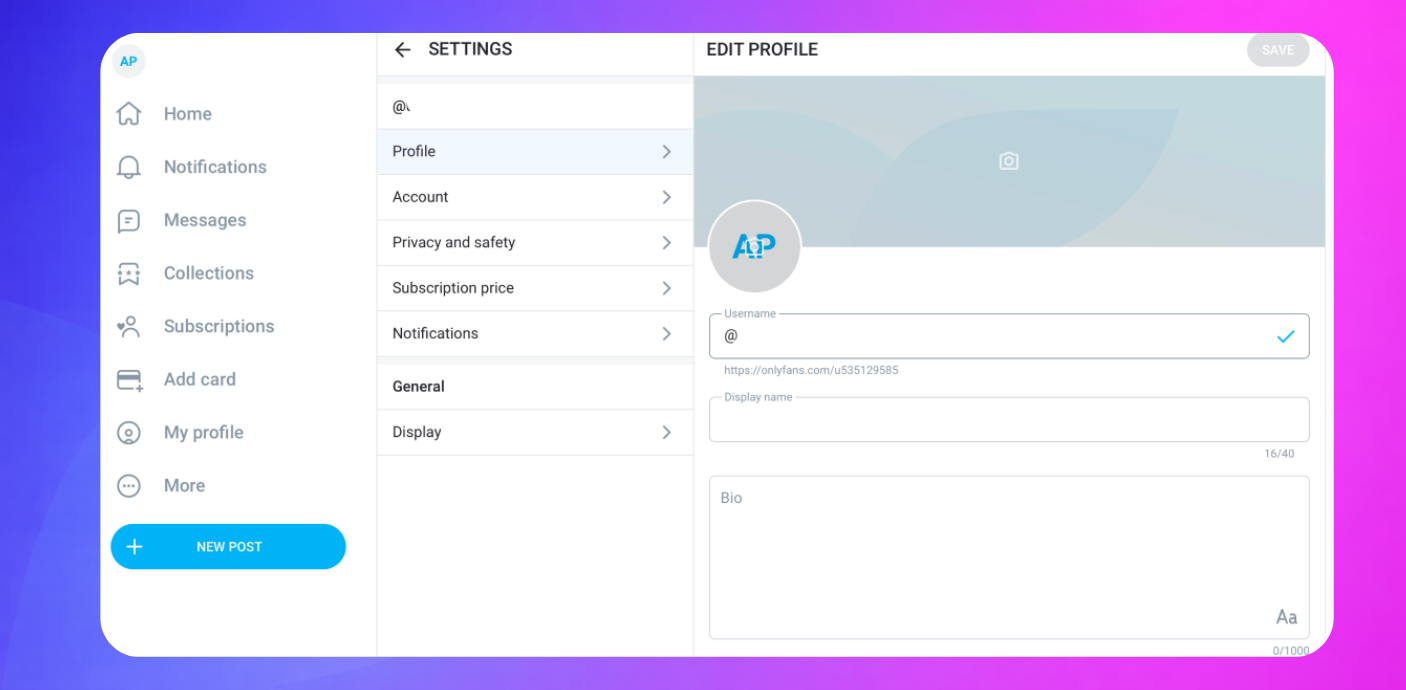
From experience, creators who spend time on their profile setup convert significantly better than those who rush it. Your niche should be immediately clear from your profile alone. If you are still deciding on your niche, check the
OnlyFans niche guide before setting up your profile.
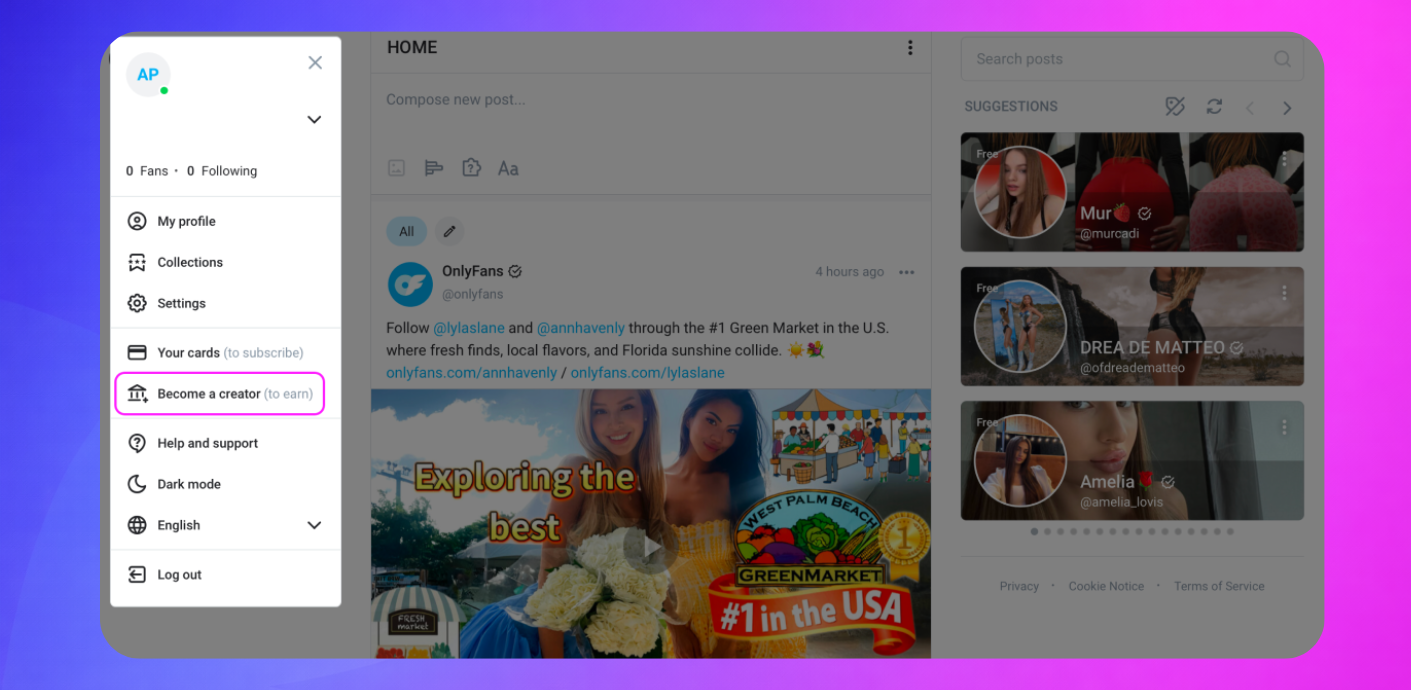
Step 4: OnlyFans Verification (Where Most People Fail)
Upload your ID and complete a face scan. Takes 24 to 72 hours, but longer if documents are unclear.
Common rejection reasons:
- Blurry photo
- Poor lighting
- Cropped document
- Face and ID mismatch
Tip: Natural light, clean background, all details fully visible. One clean submission beats three rejected ones.
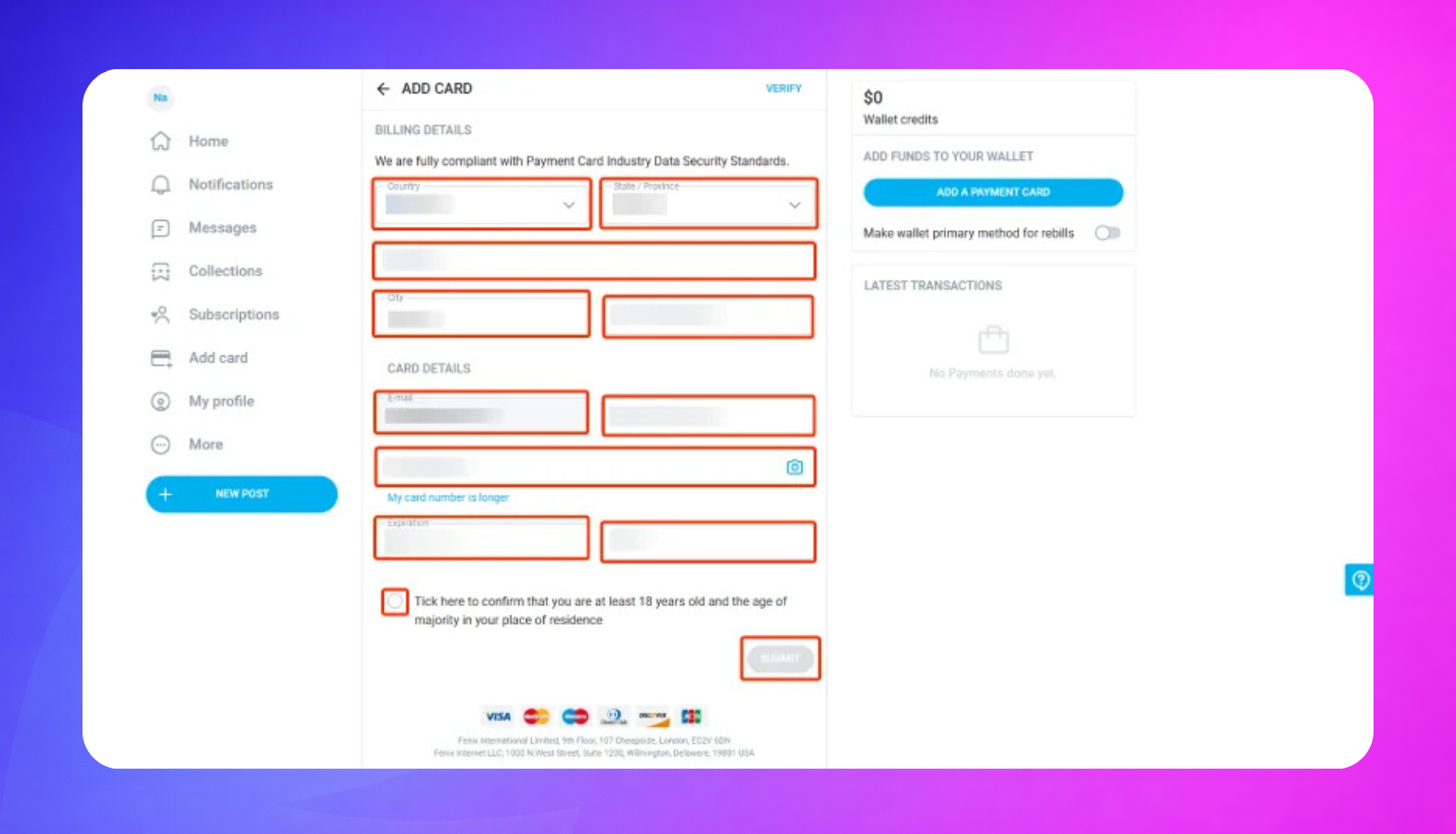
Step 5: Set Up Payouts
Connect your bank account. Minimum payout threshold is around $20. Make sure your banking details match your ID exactly. Mismatches cause failed withdrawals.
Step 6: Choose Account Type
| Free Account | Paid Account | |
|---|---|---|
| Earns from | PPV, tips, custom content | Monthly subscription |
| Best for | High traffic strategy | Stable recurring income |
Beginner tip: Start at $5 to $10 to get your first subscribers faster.
Step 7: Enable DRM Protection (Most Beginners Skip This)
Settings → Privacy and Safety → DRM Video Protection.
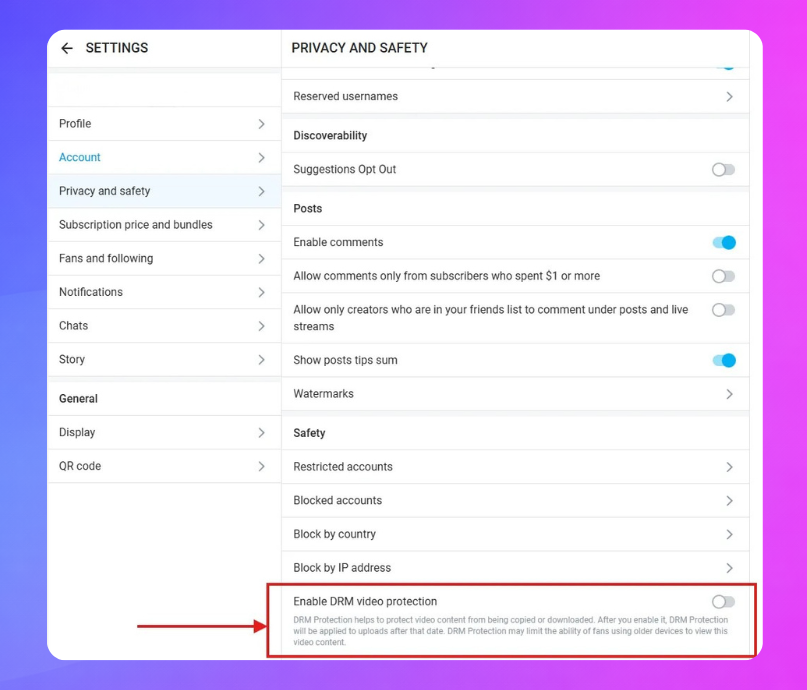
Protects your videos from being downloaded. Enable it before you upload anything. It only works on future uploads.
What Comes Next
Once your account is live, don't expect subscribers to appear automatically. OnlyFans has almost no internal discovery. Every subscriber comes from outside the platform.
The three areas to focus on after setup:
Promotion — OnlyFans Reddit, OnlyFans Instagram, and Twitter/X are the main traffic sources. Shoutouts and SFS (shoutout for shoutout) with creators in similar niches can accelerate growth fast. For a full breakdown of how to get traffic, read the complete OnlyFans promotion guide.
Monetization — OnlyFans takes a 20% fee, you keep 80%. Income comes from subscriptions, PPV, OnlyFans tips, and custom content requests. Most creators underestimate how much comes from DMs and upsells rather than subscriptions alone. For real earnings data and what top creators make, read how much OnlyFans creators make in 2026.
Content and niches — Your niche is one of the most important decisions you make as a creator. Popular OnlyFans niches include fitness, cosplay, lifestyle, and OnlyFans NSFW content. You can also stay completely anonymous. For a full breakdown of which niches perform best and how to pick yours, read the complete OnlyFans niche guide.
From what I've seen, creators who plan all three of these areas before launching grow significantly faster than those who figure it out after the fact.
Legal and Safety Basics
- OnlyFans DMCA — use it if your content gets leaked or reposted without permission
- OnlyFans tax — income is taxable in most countries, track earnings from day one
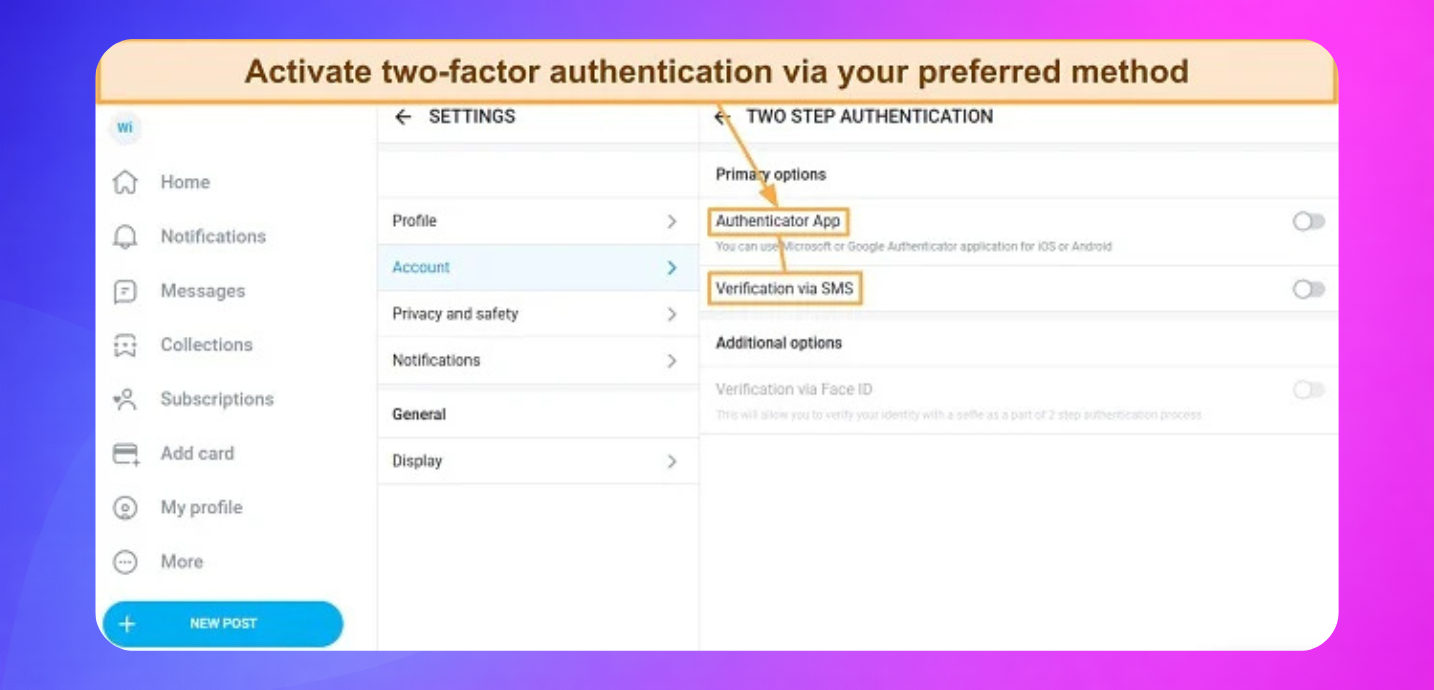
- Enable two-factor authentication immediately
FAQ
How long does OnlyFans verification take? 24 to 72 hours. Blurry or mismatched documents are the most common cause of delays.
Can you start with no followers? Yes, but you need external traffic from Reddit, Instagram, or X from day one.
Can you stay anonymous on OnlyFans? Yes. Many creators run a successful OnlyFans without showing face using masks, angles, or niche content. Read the OnlyFans niche guide for anonymous content ideas.
How much can you earn? Depends entirely on traffic and strategy. Setup alone doesn't make money. For real numbers, read how much OnlyFans creators make in 2026.
How do you withdraw money from OnlyFans? Once you reach the $20 threshold, request a withdrawal to your connected bank account.
Final Thoughts
Correct setup saves you weeks of problems later. Most creators rush this part and pay for it.
Get the foundation right, then focus on your niche, promotion, and monetization. That is how an OnlyFans account becomes real income.
From experience, creators who treat the setup seriously and build a traffic plan before launching almost always outperform those who jump straight to posting. The platform rewards preparation.