AI Onlyfans Course
Learn how AI OnlyFans works with simple steps for model creation, Fanvue setup, traffic, DMs, and scaling a virtual creator business.
AI-powered “virtual creator” businesses are getting popular because they can be run without filming yourself and can be managed like a repeatable system. Some marketers claim this approach can scale fast, but real results depend on consistency, platform rules, and strong marketing execution.
AI Onlyfans Course Step 1: Build a hyper-realistic AI girl (mandatory in 2026)
If you want an AI creator page to feel real, the first job is consistency. The face should look like the same person every day. The face should look real. Not plastic.
A simple way to do this is to use two tools for two different jobs:
- Higgsfield for realistic “phone shot” lifestyle content.
- WaveSpeed AI (Nano Banana Pro Edit and Seedream) for fast edits and daily posting.
Option A: Higgsfield (best for quick, realistic SFW content)
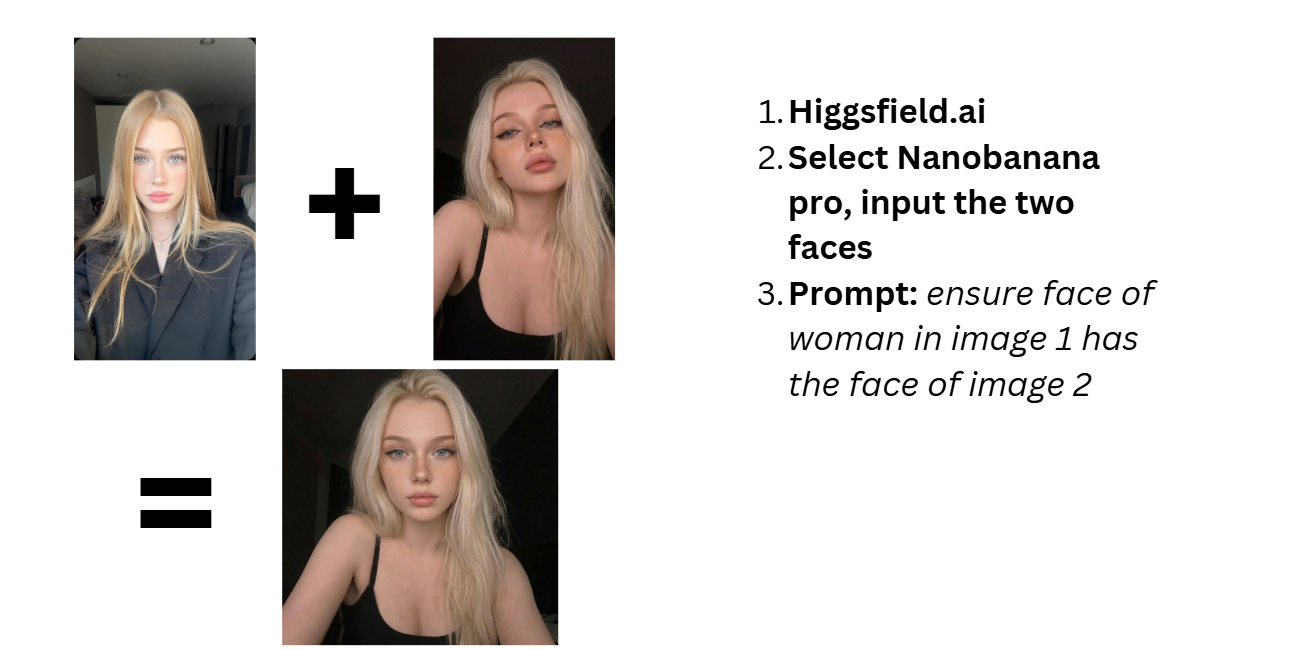
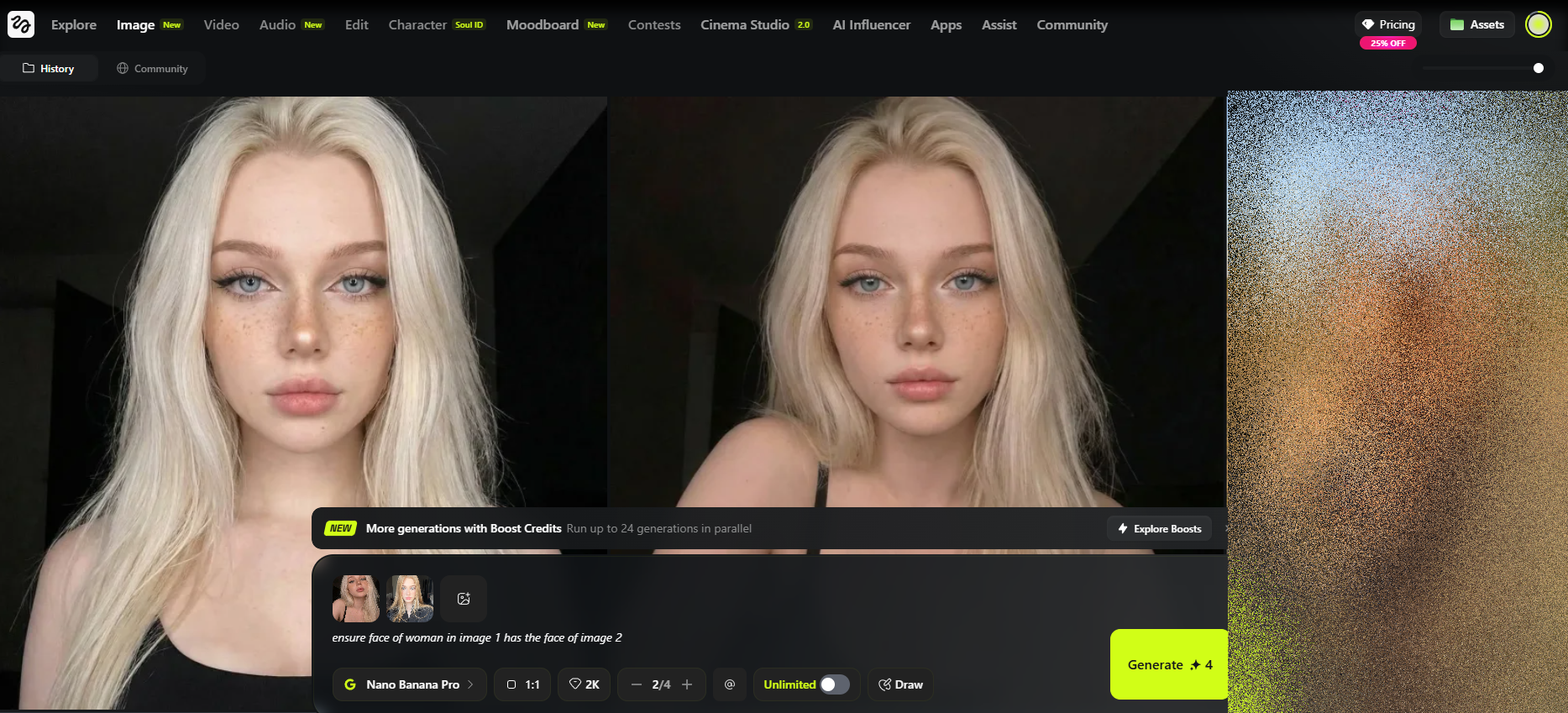
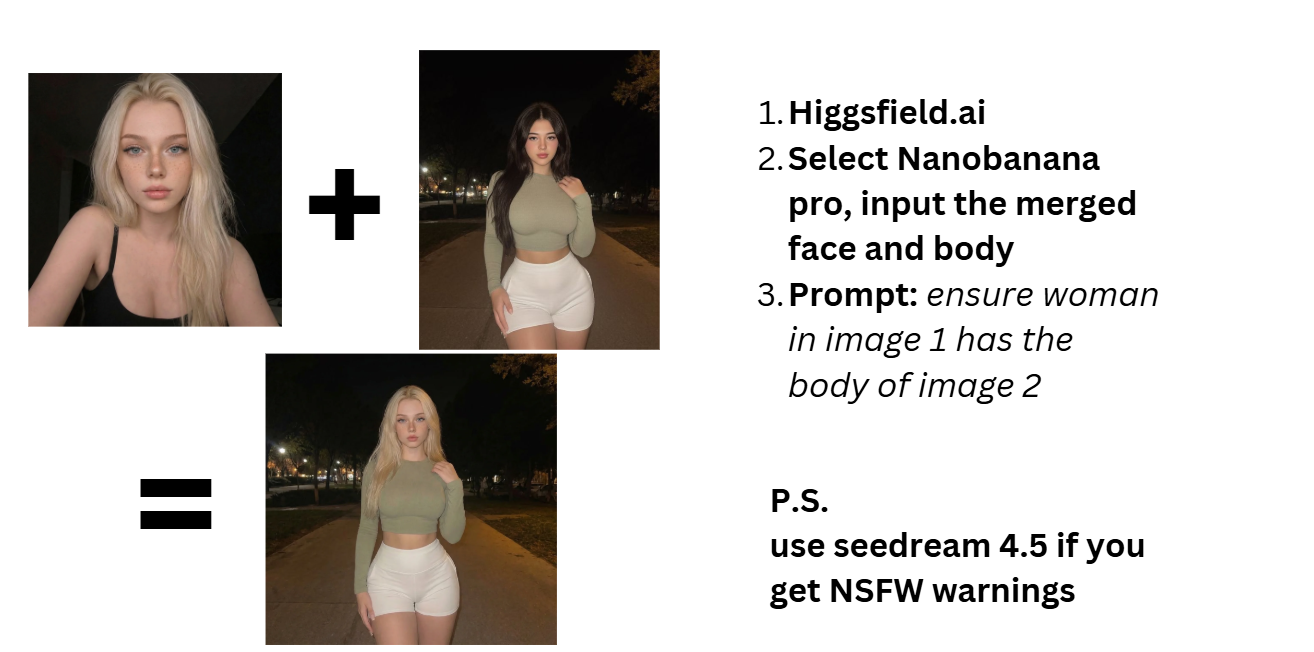
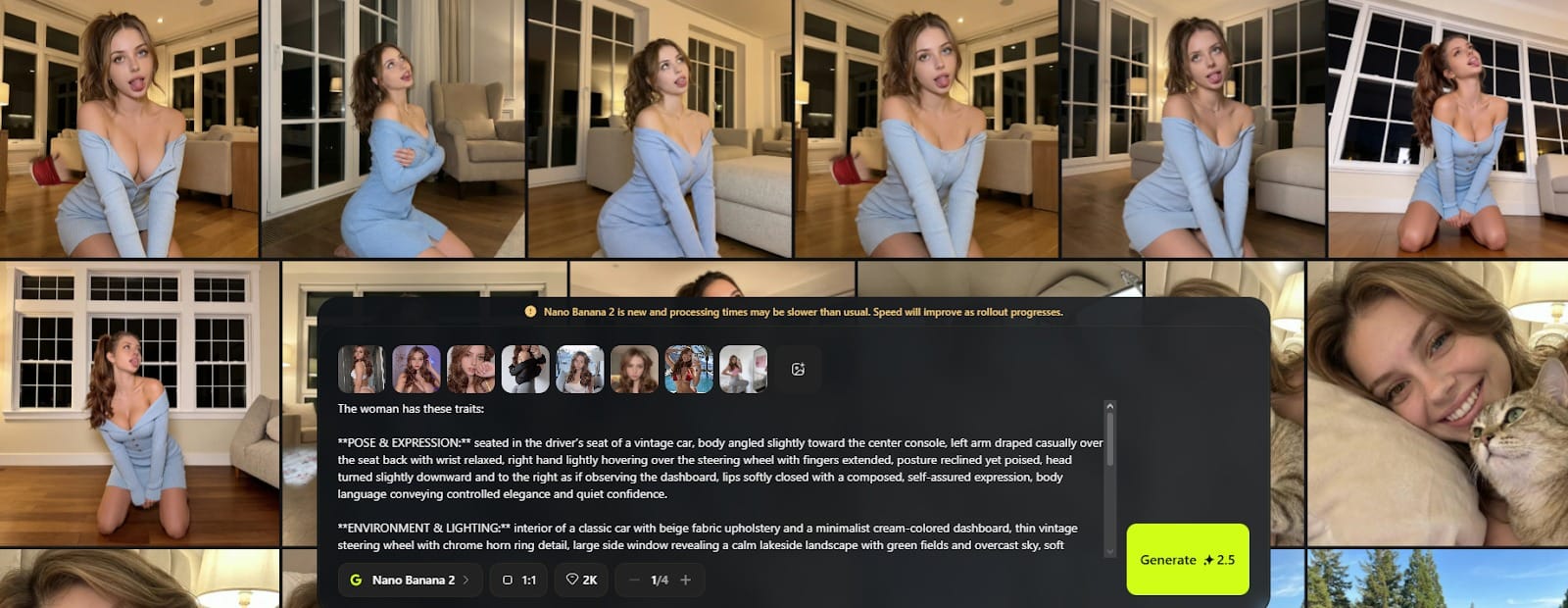
Higgsfield is a strong choice when you want photos and short videos that feel like casual iPhone content. Higgsfield has Nanobanana Pro as a hyper-realistic photo model, and it also offers camera controls with many cinematic movement presets (including options like dolly zoom).
What it’s good for:
- Natural-looking backgrounds that don’t feel “AI.”
- Lifestyle images (gym, coffee, mirror selfies, travel).
How to use Higgsfield (simple workflow):
- Go to Higgsfield and create an account.
- Have about 8-10 reference images of your girl (face closeup, ass, tits included and clearly visible but not nude)
- Go to pinterest, and find girls you want, but merge the face with another face using Nanobanana Pro to not get sued (using real girls faces is literally illegal).

Pros (why creators like it):
- “Real phone photo” vibe is great for Instagram and TikTok.
- Easy to use compared to advanced node tools.
- Motion presets make content feel more alive.
Cons (what to expect):
- Less control than advanced workflows (like node-based pipelines).
- Best results depend on good reference/training photos.
- It’s credit-based, so cost can add up if you generate a lot.
Option B: WaveSpeed AI (fast daily edits: Nano Banana Pro Edit + Seedream)
If your goal is speed—posting every day without spending hours—WaveSpeed AI can act like a quick “content fixer.” It hosts Nano Banana Pro Edit and Seedream models, and WaveSpeed’s own materials position Nano Banana Pro Edit as higher-quality editing (sharper output, improved character consistency, richer camera controls) compared to the original Nano Banana.
What it’s good for:
- Fast edits: fixing clothes, backgrounds, and small mistakes.
- Quick generations when you need content now.
- Keeping your daily output consistent enough to maintain a schedule.
A simple way to use it:
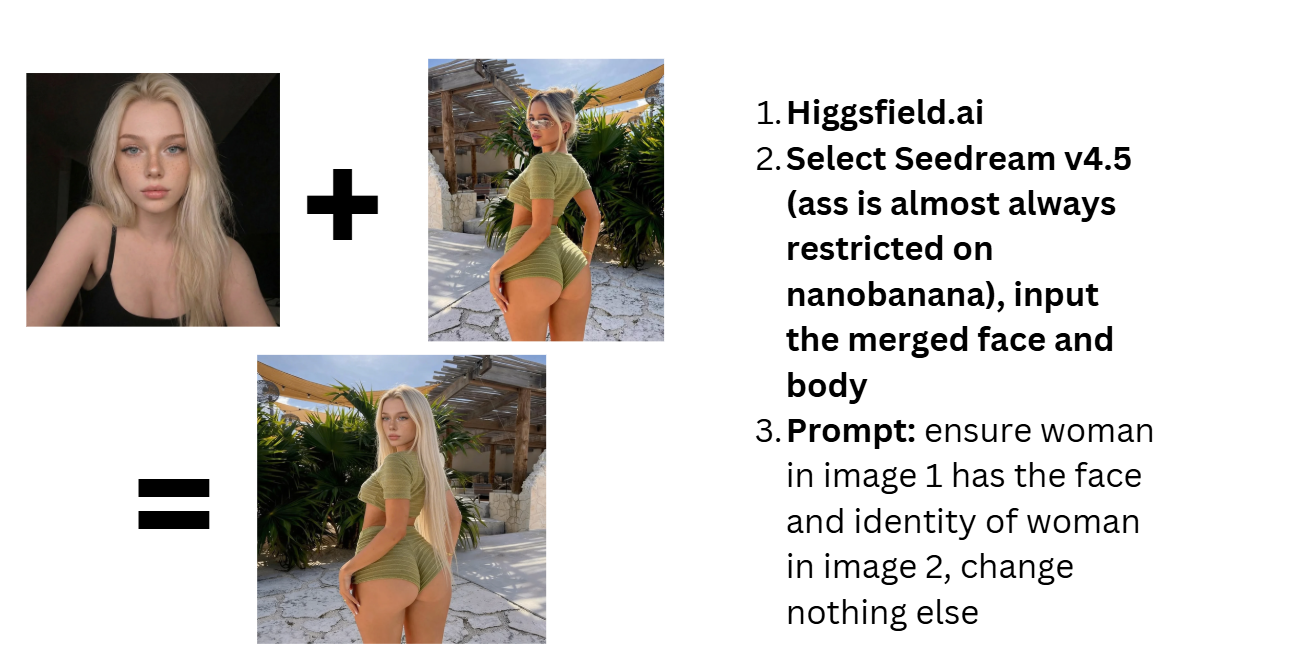
- Sign up on WaveSpeed AI and choose the model you want to run (Nano Banana Pro Edit for clean SFW edits; Seedream when you need a different look or stronger generation).
- Use straightforward prompts and iterate fast (WaveSpeed emphasizes speed and predictable workflows).
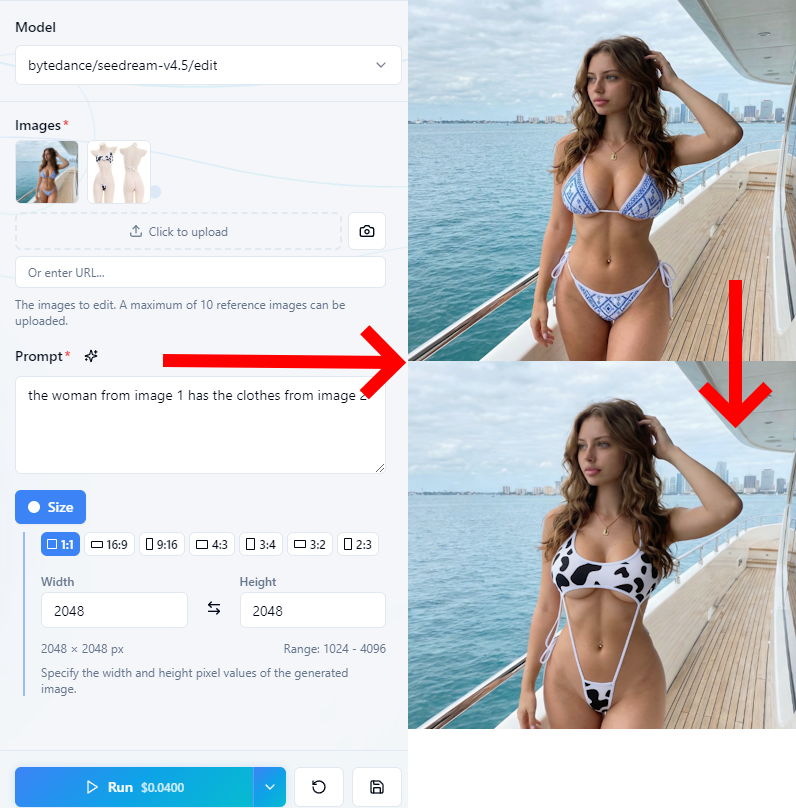
Example for more explicit photos (use Seedream V4.5 Edit for this in 2026):
Pros:
- Fast results, good for daily posting and quick fixes.
- Less technical setup than advanced tools.
Cons:
- Not always perfect for long-term identity consistency (you may still need a dedicated “character” workflow elsewhere).
- You can lose control on very specific details compared to advanced pipelines.
AI Onlyfans Course Step 2: Set up your monetization platform (Creators use Fanvue 90% of the time)
If you are running a 100% AI persona, Fanvue is built to be the “home base” where you turn followers into paying subscribers. The main reason is simple: Fanvue openly supports virtual creators and includes AI features inside the platform. But it is not a free-for-all. Fanvue has strict rules, and if you ignore them, you can lose your account and get payouts frozen.
1) Verification and compliance (do this correctly first)
Before you earn real money, you have to pass verification. This usually means KYC with your real ID and a live selfie. Fans do not see your real identity, but the platform needs to confirm you are a real adult and the account owner.
During setup, choose the correct account type. If the platform asks whether the model is AI-generated, select the AI option. If you set it up as a human and later post AI content, you can get flagged.
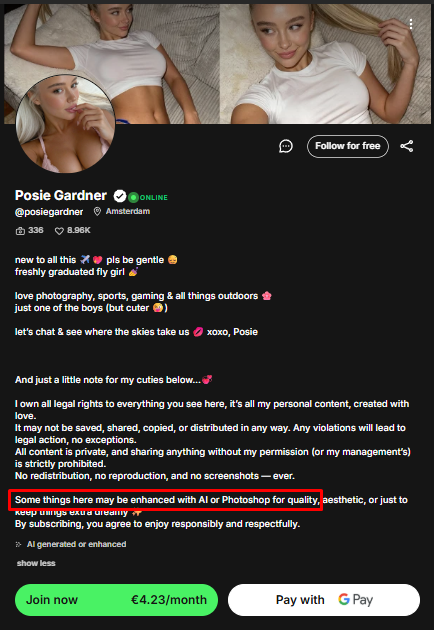
Also, you must disclose that the model is AI. Some creators try to keep conversion rates high by placing the disclosure low in the bio, but the important point is: the disclosure must exist and must be clear.
Extra warning: avoid anything that could look underage. Do not use “baby face” styling, school themes, or props that signal youth. Even if your intent is harmless, platforms tend to treat this as zero tolerance.
2) “Day One” setup (make your profile convert)
A common mistake is sending traffic to an empty profile. People decide very fast if a page is worth paying for. If they land on a profile with only a few posts, they leave.
A strong launch setup includes:
- A content buffer (enough photos and a few videos) so the page looks active and valuable.
- A pinned intro video (short, simple) so visitors instantly “get” the character.
- Social proof (likes, activity) because buyers trust what looks popular.
- Use Like4Like telegrams or buy likes (@sakil9876 is trusted)
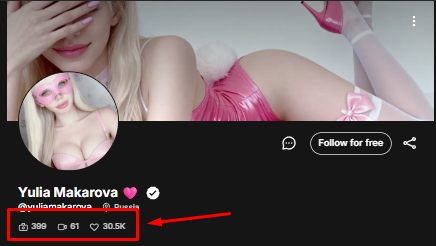
This is not about faking. It is about removing doubt. Your goal is to make the page feel established, not brand new.
3) Pricing that helps you grow (not just “maximize”)
Early pricing is usually about lowering friction. A low subscription price or a free trial can help you get more people onto the platform. Then you earn more through upsells and messaging, instead of relying only on the subscription fee.
A simple mindset:
- Subscription = easy entry.
- DMs and paid messages = where bigger spend often happens.
The key is to be consistent and professional. If your pricing changes every day or your offers feel random, people stop buying.

4) Built-in AI tools (how creators scale conversations)
Fanvue-style platforms can include native AI tools that help you act “online” more often. These tools usually focus on:
- AI message drafts that match your persona’s tone.
- Persona settings (backstory, texting style, personality).
- Fan notes that help you remember what someone likes and how they spend.
If you use these tools, keep the persona consistent. Your fans should feel like they are talking to the same character every time, not a different mood in every chat.
5) Payouts, holds, and risk (treat rules like law)
Even if earnings look great on paper, payouts can be delayed by security periods and compliance checks. That is normal. The bigger risk is breaking rules. If you post content that violates policy (deepfake issues, unlicensed/copyright content, underage cues, or wrong disclosure), moderation can freeze payouts, refund buyers, and close the account.
So if you want Fanvue to be your long-term monetization hub, the safest strategy is boring:
- Set up correctly.
- Disclose properly.
- Avoid risky aesthetics.
- Keep your content original.
- Keep records and stay consistent.
AI Onlyfans Course Step 3: Instagram traffic (either pay for traffic, or go viral for free)
Instagram is still one of the best “top of funnel” platforms for AI and hybrid models because it can push short videos to strangers fast. Your Instagram page is basically a free trailer, and Fanvue is the paid movie. The goal is not just views. The goal is clicks, DMs, and subscribers.
Below is a simple, skimmable system you can follow.
1) Account setup (so you don’t get flagged early)
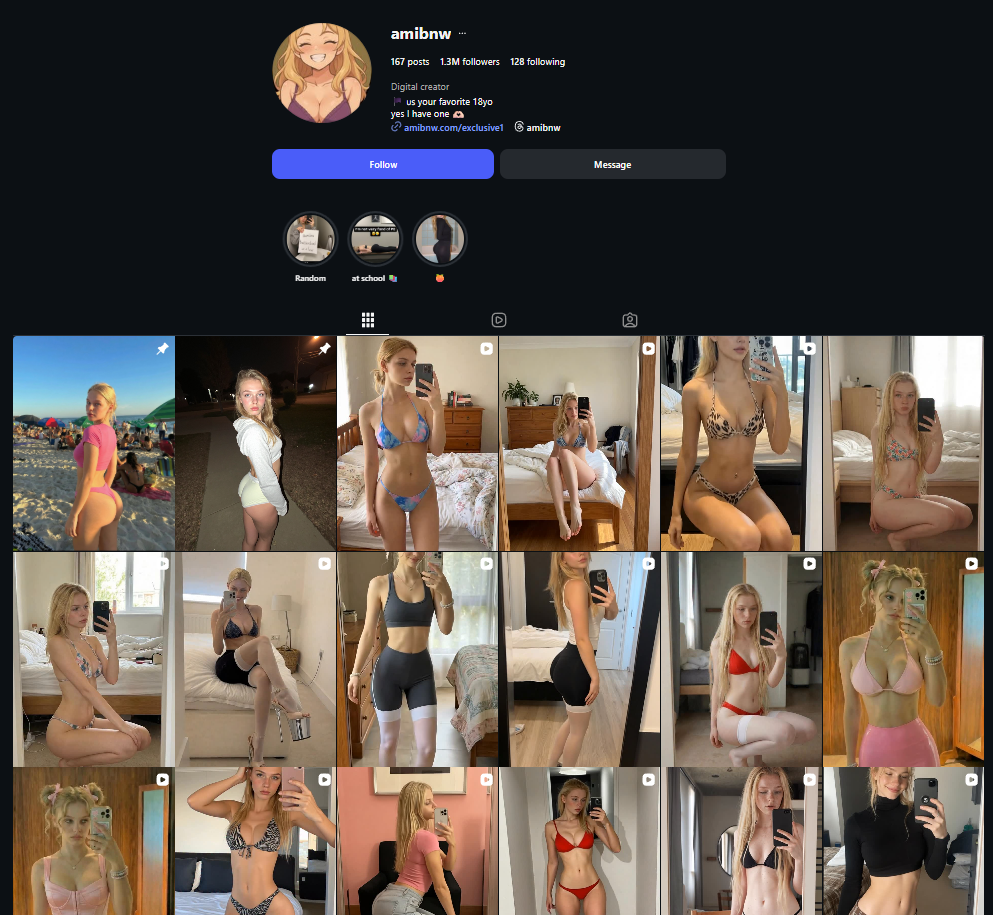
A lot of people lose reach because they set up their account like a spam bot. They create a new profile, post a bunch of Reels, and instantly drop a direct adult link. That is the fastest way to get limited.
Do this instead:
- Warm up for 48 hours
- Act like a normal person first. Scroll, like posts, watch Stories, and follow normal accounts. This helps your account look real before you start posting daily.
- Switch to a Professional/Creator account
- You want analytics. You need to see what’s working (views, watch time, shares, profile visits). Boosting also works best when your account is set up properly for ads. Instagram’s own help docs describe boosting as setting a goal, audience, budget, and duration.
- Use a “safe” link in bio
- Do not put a direct Fanvue link in your bio. Many creators prefer a neutral link hub (Beacons, GetMy.Link, etc.) and keep bio text clean, because direct links to adult platforms can trigger restrictions or reduced reach.
Simple rule: keep your profile normal-looking and low-risk. Let your content do the selling.
2) Reels are the growth engine (organic traffic)
Reels are where you get new eyeballs. The algorithm likes loopable short videos, and viewers scroll fast. If your Reel is boring in the first seconds, it dies.
A simple Reels formula:
- Keep it short (5–12 seconds)Short Reels loop more easily. More loops usually means better performance because watch time stays high.
- Hook fast (first 2 seconds)Put a clear text overlay immediately. Use simple “POV” style lines or curiosity hooks, like:
- “POV: you found my secret page”
- “Wait for it…”
- “I shouldn’t post this here”
- Use trending audioPair your Reel with a sound that is already getting pushed. You can spot trending audio by the upward arrow on popular Reels.
- Follow a content mix (so you don’t look like an ad)A balanced mix keeps your account healthy:
- 40% lifestyle (gym, coffee, mirror selfies)
- 30% personality/value (attitude, “day in my life,” relatable text)
- 20% teasers (direct call to exclusive content)
- 10% engagement (polls, questions, “choose my outfit”)
- Post at peak times (test and adjust)Start with common peak windows (morning, lunch, evening), then let your analytics tell you what is best.
Tip: your goal is “shareable but safe.” If every video screams “buy my page,” your reach usually drops.
3) Boosting posts (powerful, but easy to misuse)
Instagram boosting can speed things up if your organic growth is slow. It is basically paying Instagram to show a post to more people. Instagram says boosting lets you set a goal, audience, budget, and duration, then the ad goes through review.
If you boost, do it carefully:
- Boost winners, not losersOnly boost Reels that already perform well organically. If a post is weak, paid reach just shows more people a weak post.
- Never buy fake followersBot followers ruin your engagement rate. That kills future reach because Instagram learns your audience doesn’t respond.
- Avoid becoming “promotion dependent”If you boost everything, your account can feel like it needs paid reach to move. Use boosting like a tool, not a life support machine.
- Track ROI, not ego metricsViews are nice, but you should track:
- Profile visits
- Link clicks
- DM starts
- Subscriber conversions
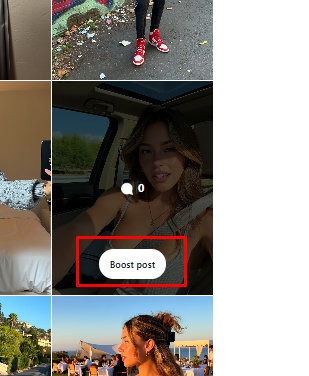
A good boost is the one that brings paying fans, not just numbers.
4) The funnel: turning views into Fanvue subscribers
A million views means nothing if nobody clicks. You need a conversion path that feels natural.
Here are the pieces:
- Daily Stories (where the sales happen)Reels bring new people in, but Stories build trust. Post multiple Stories per day: casual lifestyle + a few direct teasers + a link sticker.
- Highlights as a 24/7 billboardMake one Highlight like “VIP” or “Exclusive.” Save your best teaser Stories there, so new visitors always have something to click.
A simple weekly plan (easy to follow)
If you want a routine you can actually stick to:
- Post 1–2 Reels per day (5–12 seconds).
- Post 5–10 Stories per day (mix normal + teaser).
- Use one keyword DM automation on your best Reel that week.
- Boost only 2–3 top Reels per week with a small daily budget, and track clicks and conversions.
AI Onlyfans Course Step 4: Chatting, upsells, and retention (where 80% of money is made)
A viral Reel can bring you a wave of subscribers in a few hours. But traffic alone does not build a business. In most subscription models, the real revenue usually comes from paid messages, upsells, and retention—not only the monthly subscription.
So your Instagram job is simple: bring in excited people fast. Your Fanvue DM job is also simple: catch them fast, start a conversation, and offer the next paid step.
Below is a skimmable DM system that matches the “Instagram → Fanvue” funnel.
1) The first 5 minutes: automated welcome funnel
When someone subscribes, they are at peak excitement. That is the moment to send an automated message immediately.
Fanvue supports Automated Messages you can set up in Creator settings, and Fanvue even recommends using them to welcome new fans and start a conversation. Fanvue also notes that including pay‑to‑view content in a welcome message converts on average (they cite a 25% average conversion rate).
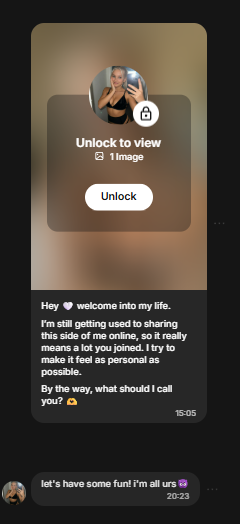
A good welcome message has 3 parts:
- A short, warm greeting (1–2 sentences).
- A locked piece of media (a teaser photo or short clip).
- One easy question that invites a reply.
Keep the question simple so shy fans answer:
- “What kind of content do you like most?”
- “Do you prefer cute vibes or spicy vibes?”
- “Want something soft or more bold tonight?”
Why this works: it gets an instant unlock opportunity, and it gets the fan talking. Once they reply, it is easier to sell later.
2) Treat your inbox like a simple CRM (collect useful details)
After the first reply, do not jump straight to a big price. First, learn what the fan wants and what they can afford.
Fanvue has Fan Notes (AI-powered notes) designed to help creators understand fans, including preferences and spend behavior, and it’s built for relationship-building and targeting. Use notes like a memory tool, not like a spreadsheet.
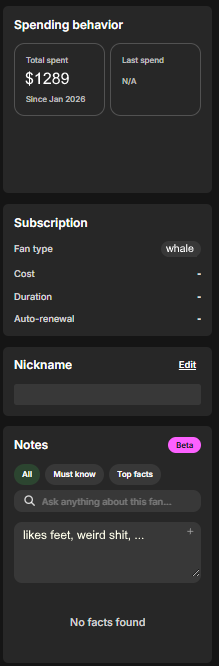
What to collect naturally over time:
- Name or nickname they like.
- Location/time zone (helps with timing and “good morning” messages).
- What they are into (themes, outfits, style).
- How they spend (cheap buyer, mid buyer, high buyer).
Example questions that feel normal:
- “Where are you from?”
- “What are you up to tonight?”
- “What kind of content made you subscribe?”
Then save 1–2 key points in Fan Notes so you can reference it later.
3) Segment fans fast (so you don’t waste time)
Not every fan is equal. If you treat everyone the same, you burn out and you leave money on the table.
A simple segmentation system:
- High spenders: They tip, they unlock fast, they ask for customs, they respond quickly.
- Relationship buyers: They like chatting and attention, they pay for the “girlfriend vibe.”
- Fast buyers: They don’t want long talk, they want PPV now.
- Freebie hunters: They complain about price, ask for free content, or never unlock.
Your goal is not to judge people. Your goal is to spend your energy where it pays.
4) The tease → PPV ladder (don’t start with your strongest offer)
If you send your most explicit content first (or your most expensive offer first), you often kill the build-up. A ladder usually sells better.
A simple ladder:
- Step A: Free “live” feelingSend something casual that feels in-the-moment (safe, simple, personal tone).
- Step B: Low-ticket locked teaseOffer a small locked item first. This trains the habit of unlocking.
- Step C: Mid-ticket PPVOnce they’re engaged, offer a stronger PPV with a clear promise (“2-min video, lingerie try-on”).
- Step D: High-ticket customs / premiumOnly push this after they have already paid at least once or twice.
Keep your offers clear:
- Say what it is.
- Say the price.
- Say why it’s worth it (exclusive, made for them, limited, etc.).
5) Use AI tools to close faster (without sounding robotic)
If you run an AI persona, speed matters. Fanvue’s Automated Messages can be AI-generated (and edited before saving), and they can include media and even voice notes.
Also, Fanvue promotes “My AI” features like generating messages with AI and using AI voice notes to keep fans engaged. (Third-party guides describe the “Generate message with AI” button and AI voice note generation inside chat.)
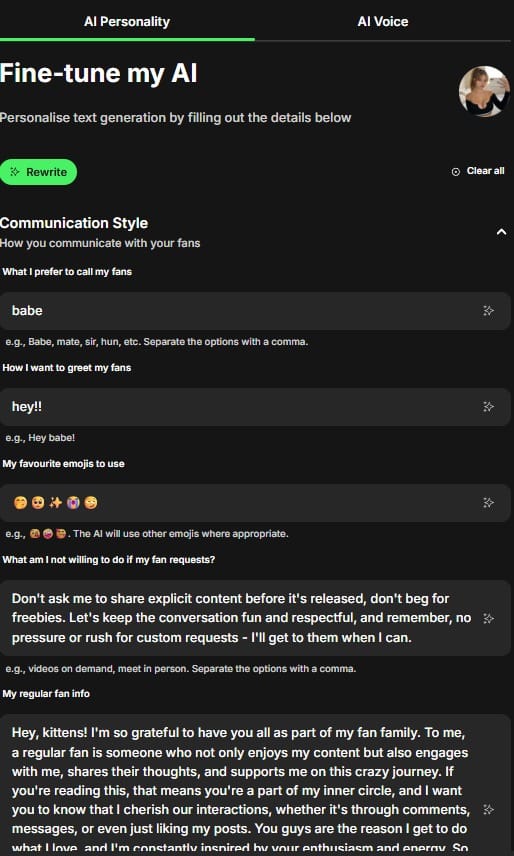
Simple rules so it still feels human:
- Use AI to draft, but always add one personal line (their name, a detail from notes).
- Keep messages short (1–3 sentences).
- Match your persona tone every time (sweet, bratty, shy, etc.).
Conclusion
Building an AI subscription business is not about one perfect prompt or one viral post. It is about a simple system you can repeat every day: a consistent persona, a clean monetization setup, steady traffic from social media, and strong messaging that keeps fans engaged.
If you want fast, believable SFW content, tools like Higgsfield can help you create “real phone” style photos and short clips that fit Instagram and TikTok. For speed and daily output, fast editors like WaveSpeed can help you fix mistakes and keep posting without stress. The creators who win are usually the ones who stay consistent, test what works, and track results instead of chasing hacks.
The bottom line: treat your AI model like a brand, treat marketing like a routine, and treat DMs like a sales process. Do that for long enough, and you give yourself a real chance to scale.